Most classification workflows in n8n use a chat model, a Structured Output Parser, and another node to handle the result. I have built them that way too. It works, but the model is still generating text for a job that only needs a decision.
A support ticket does not need an essay. It needs a route. A product review may need a sentiment score. An incoming message may only need a yes or no answer to “Does this ask for a refund?”
That is why I built n8n-nodes-jev-classification, an open source n8n community node for Jev by TypeSafe AI. Version 0.1.1 is now available on npm.
Jev is built for bounded decisions
TypeSafe calls Jev a System One model. You send a piece of state, such as a ticket, review, or JSON record, together with a typed question. It returns a typed answer and probabilities instead of generating a paragraph that must be parsed.
Jev currently supports three useful question shapes:
- Choice selects one option from a set and returns the probability for every option.
- Score evaluates text against ordered levels and returns a weighted score.
- Noul answers a yes or no question as a probability.
TypeSafe lists Jev 1.13 at $0.042 per million input tokens, with output tokens free, and typical latency from 70 to 500 milliseconds. These are provider figures, not my own benchmark, and both service limits and pricing can change. Test the model on your own data before moving a decision into production.[1]
The constraint is the interesting part. Jev cannot invent a fifth label when I provide four categories. For a workflow, that is often more useful than asking a general-purpose model to behave like a classifier.
How the node fits into n8n
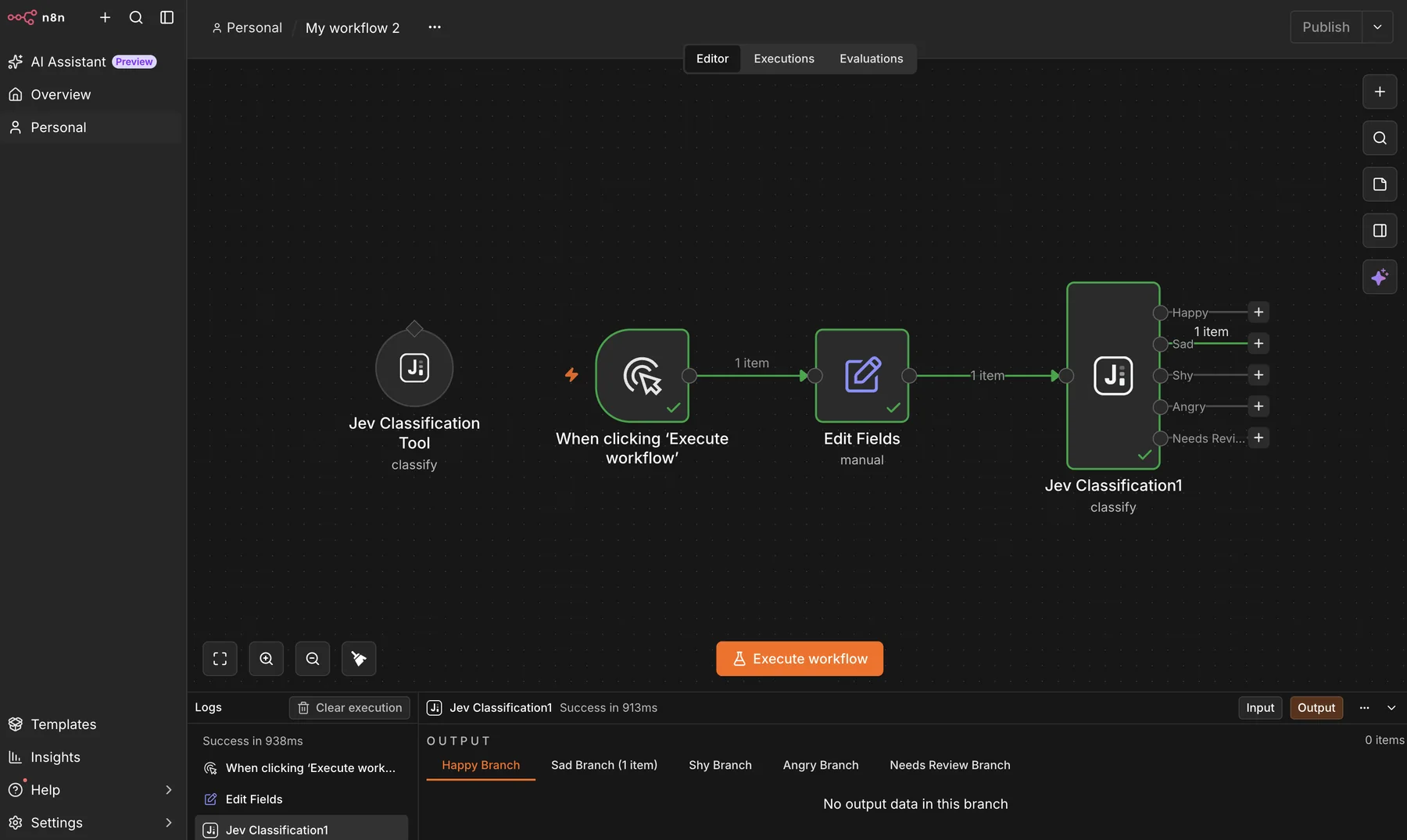
I wanted the node to feel familiar to anyone who has used n8n’s Text Classifier. The Classify operation reads each input item, asks Jev to choose from the configured categories, and sends that item through the matching output.
The difference is what comes back with the route. Each item gets a jev field containing the selected category, the probability distribution, a confidence value, whether the item needs review, and the model version that answered.
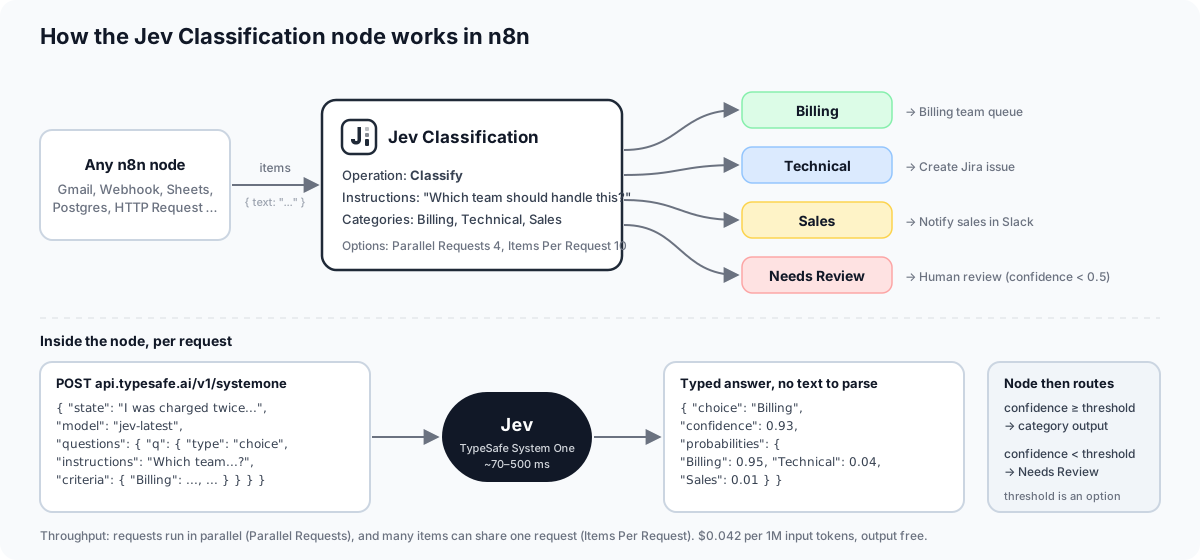
The package has four operations:
| Operation | What it does | Output behavior |
|---|---|---|
| Classify | Chooses one category | One branch per category, plus optional Needs Review |
| Score | Rates text against ordered levels | One output with score, level, probabilities, and confidence |
| Check | Evaluates a yes or no question | Yes and No branches |
| Ask Questions | Sends a custom mix of Choice, Score, and Noul questions | One output with the raw answers map |
The original input fields stay on the item by default. Binary data and paired-item references also pass through, so the result can still be traced back to the item that entered the node.
Configuration stays visible
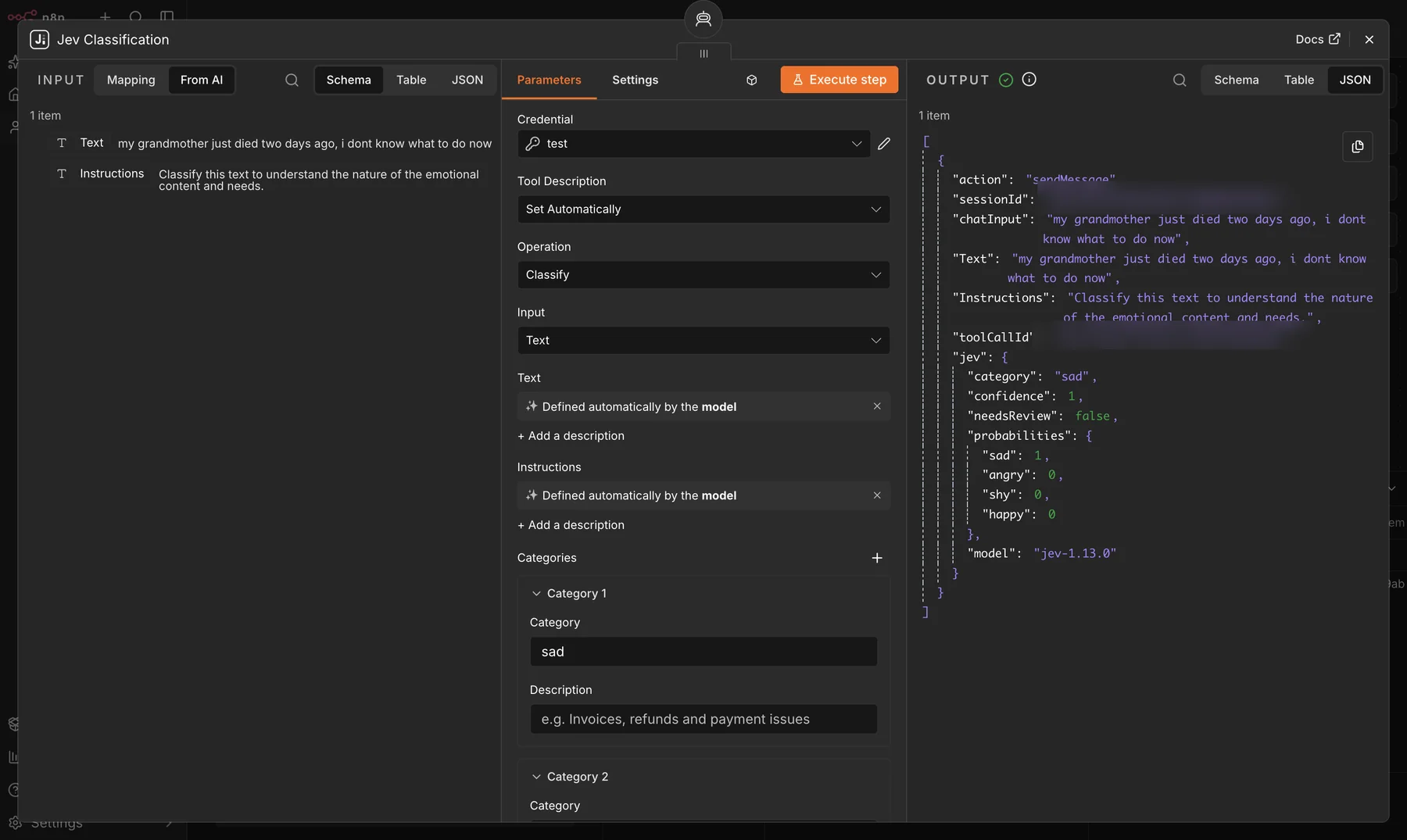
The regular node accepts text, JSON, or the whole n8n item as state. Instructions are evaluated for each item, while category definitions stay fixed for the run because they define the node’s output branches.
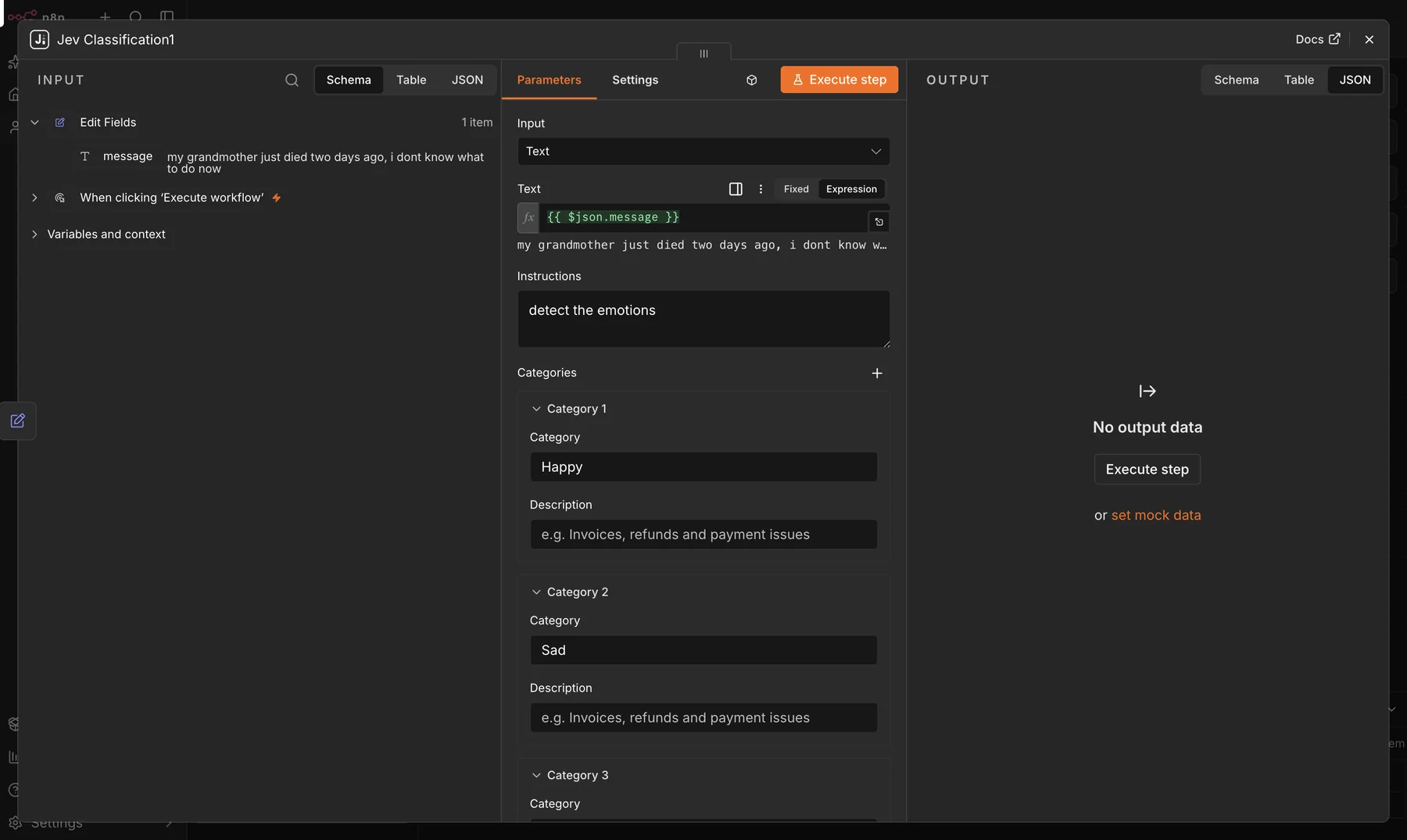
After execution, the output keeps the original message and adds the decision data. In this example, Jev selected Sad with confidence 1 and assigned probability 1 to that category.
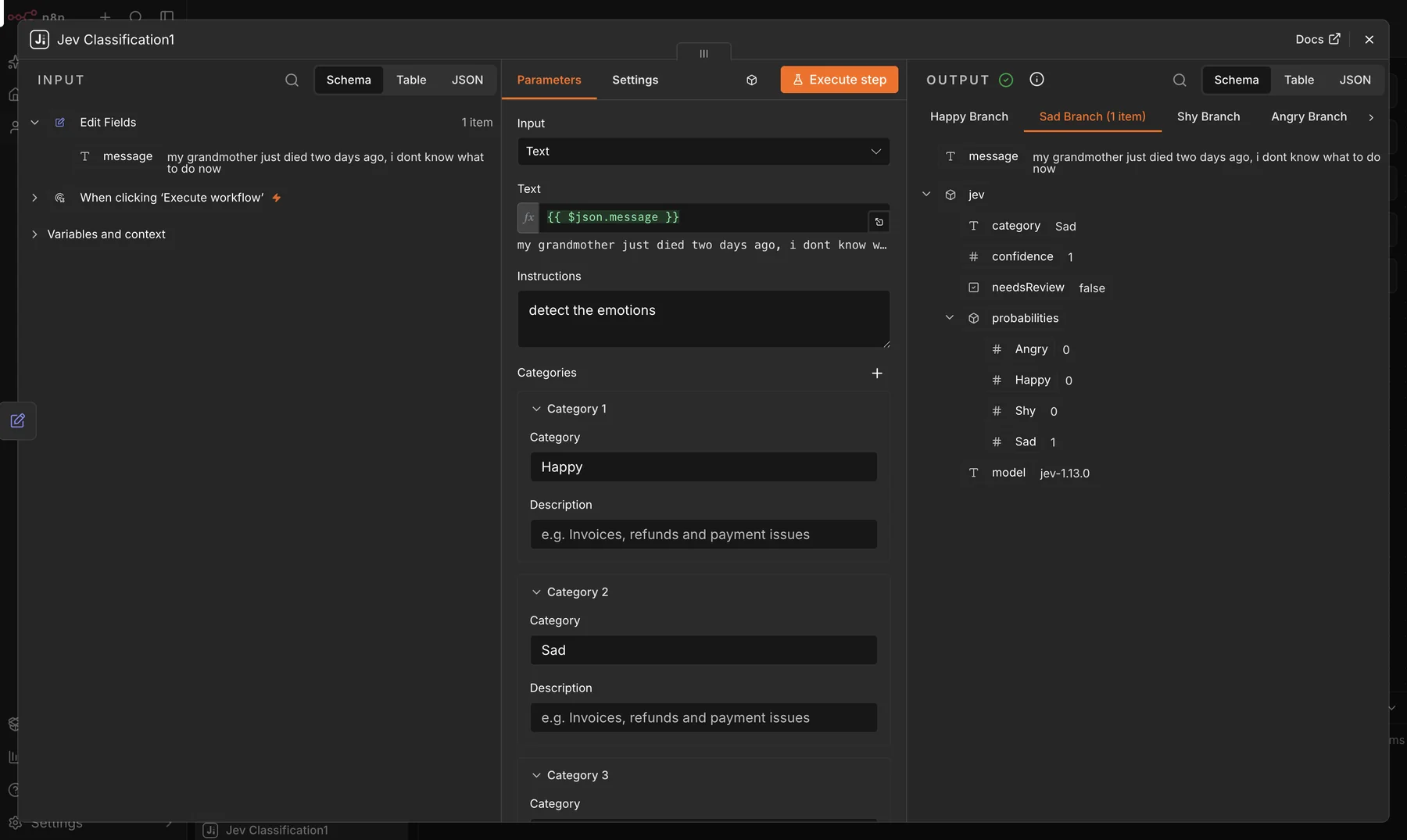
The Needs Review branch matters more than the winning label
Automation gets risky when a model must always pretend to know the answer. Jev returns the full distribution for Choice and Score questions, then TypeSafe derives a confidence value from the shape of that distribution.[2]
The node turns that signal into a workflow control:
- confidence at or above the threshold goes to the selected category
- confidence below the threshold can go to Needs Review
- if you prefer, an uncertain item can still go to the best category while retaining
needsReview: true
The default threshold is 0.5, but I would not use one threshold for every action. Tagging an email is easy to undo. Issuing a refund is not. TypeSafe’s guidance makes the same point: confidence boundaries should follow the consequence of a wrong decision.[2]
My preferred pattern is simple. Automate clear cases, log the probabilities, and keep an explicit human path for ambiguous ones.
It also works as an AI Agent tool
The package exposes both a regular node and a tool variant. On a self-hosted instance with community tool usage enabled, searching for Jev shows both options.
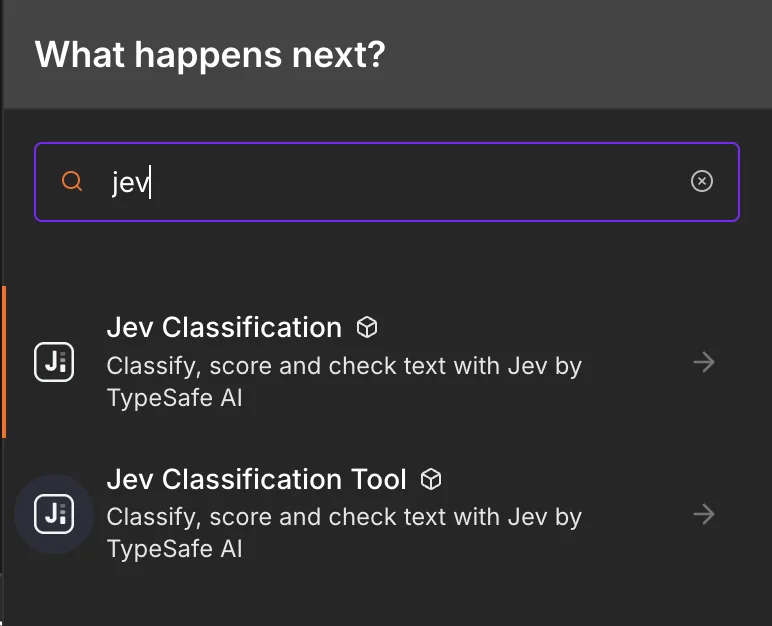
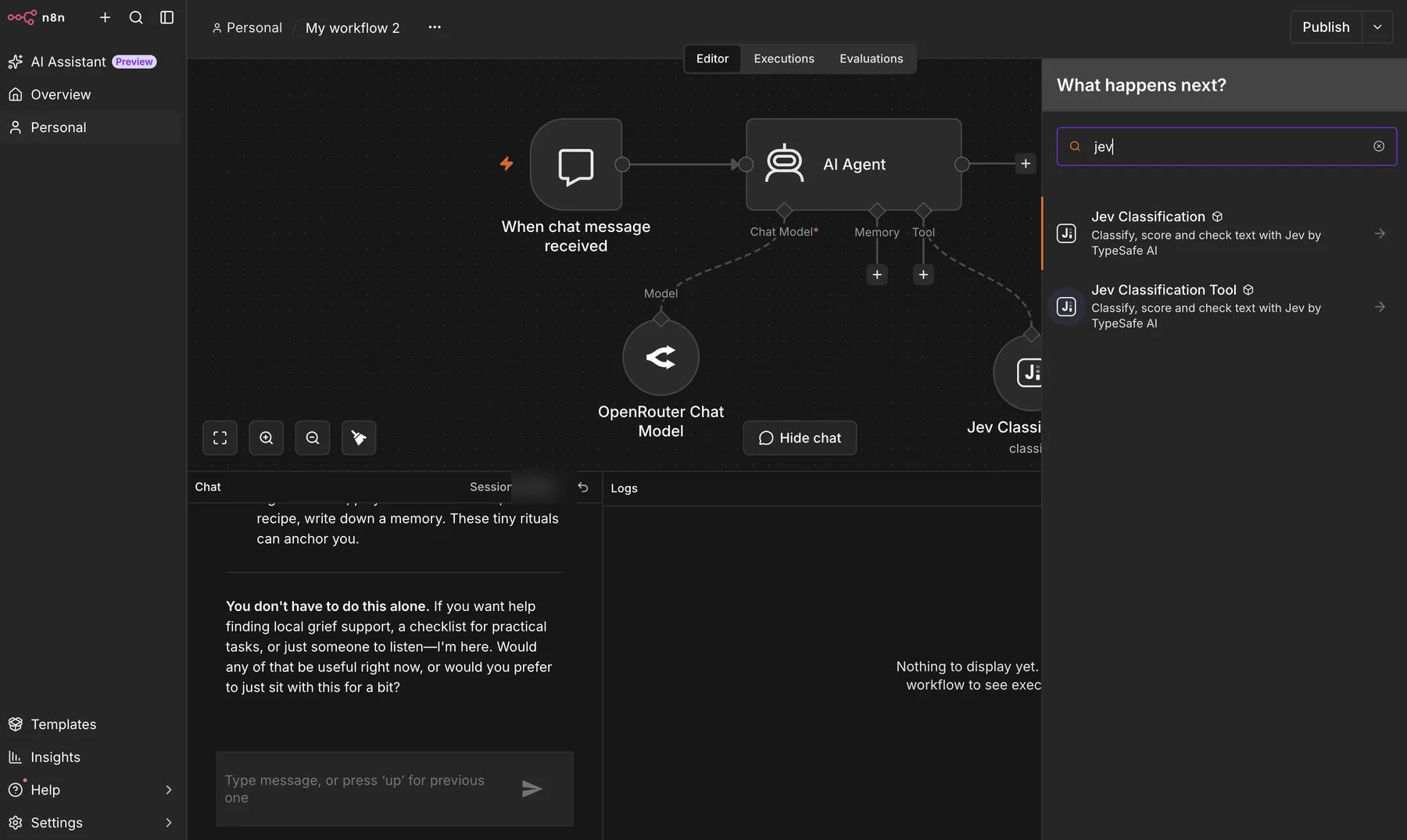
This split makes sense to me. A chat model can write a useful response, while Jev handles a bounded question such as emotion, intent, policy fit, or whether a particular condition is present.
Installing the community node
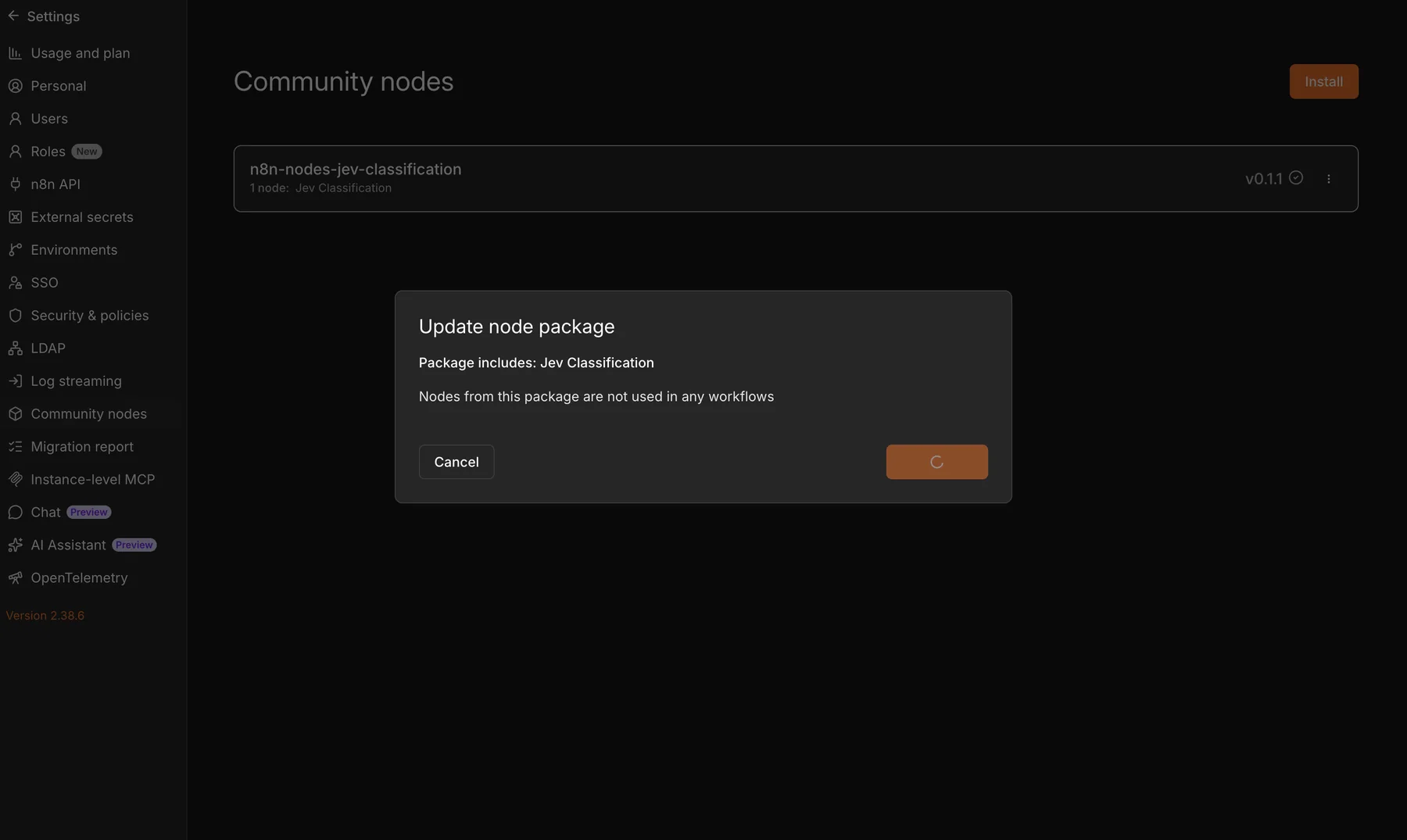
On a self-hosted n8n instance, open Settings, choose Community Nodes, and install:
n8n-nodes-jev-classificationThen create a Jev (TypeSafe) API credential using a key from the TypeSafe console. The credential test calls TypeSafe’s models endpoint, and the key is sent as a bearer token only to https://api.typesafe.ai.
For a manual installation:
cd ~/.n8n/nodes
npm i n8n-nodes-jev-classification
Restart n8n after installing. The tool variant also requires N8N_COMMUNITY_PACKAGES_ALLOW_TOOL_USAGE=true.
What batching does, and what it does not prove
The node has two throughput controls:
- Parallel Requests controls the worker pool.
- Items Per Request packs several short items into one API request, up to 50.
TypeSafe published a useful batching experiment: 13 independent questions against the same 53,777-character document cost 12.2 times less and ran 10 times faster in one request than in 13 separate requests, with the same answers across the compared strategies.[3]
That experiment is evidence for sharing one state across many questions. It is not a direct benchmark of this node’s multi-item packing. When the node packs several items, each item’s text still appears in the request, so the token bill remains roughly similar. The practical gain is fewer network round trips and less request overhead. Long, noisy inputs should stay in smaller batches because irrelevant state can reduce accuracy.[4]
The repository includes three importable workflows for ticket routing, review scoring plus defect detection, and batched custom questions. They are a better starting point than guessing at all the options from scratch.
Shipping the package had one very n8n-specific bug
The first release worked, but the regular node did not appear in the normal node panel. Only the AI Agent tool variant was easy to find.
The problem was the codex metadata. Marking a node as AI without the expected Chains and Root Nodes subcategories causes n8n to filter it from the regular list. Version 0.1.1 copies the category shape used by the built-in Text Classifier and adds search aliases such as jev, classify, router, and sentiment.
The package now has zero runtime dependencies, an MIT license, tests and example workflows, and a GitHub Actions release workflow configured for npm provenance. The npm package and source repository are public so anyone can inspect the implementation before installing it.
Where I would not use Jev
Jev is not a general replacement for a chat model. TypeSafe documents several limits clearly.[4]
I would keep these jobs in code:
- arithmetic and counting
- date ordering and duration calculations
- deterministic rules that do not need a model
I would keep generation in an LLM:
- summaries
- email drafts
- explanations
- open-ended extraction where the possible answer set is unknown
Jev also reads instructions literally, loses accuracy when the state contains irrelevant detail, and does not treat input as hostile by default. Category boundaries need real examples, adversarial tests, and monitoring. An other category is often safer than forcing every input into a business queue.
Try it
The package is on npm. The GitHub repository contains the source, setup notes, diagram, tests, and three workflows you can import into n8n.
This is a community node maintained by me. It is not affiliated with, endorsed by, or supported by TypeSafe AI or n8n.
Sources
[1] Models, TypeSafe AI documentation
[2] Confidence, TypeSafe AI documentation