Most AI workflow tutorials begin with a detour. Before you can test the actual workflow, you have to create an account with a model provider, add billing, generate an API key, and store that key in n8n.
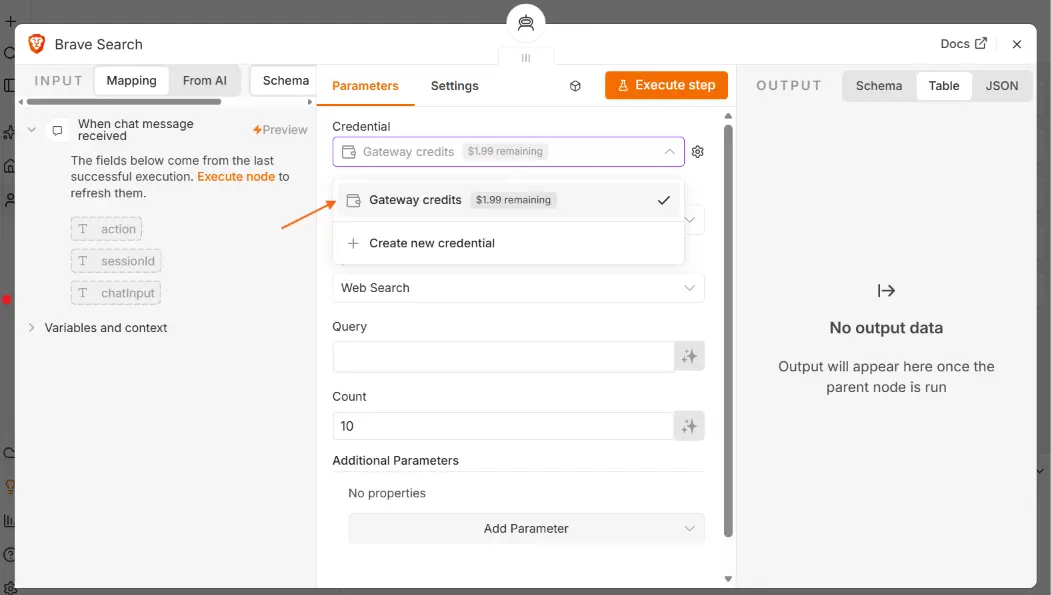
n8n Gateway Credits remove that detour. On a supported node, you can select Use Gateway credits instead of creating a provider credential. n8n sends the request through its managed gateway and deducts the request cost from a prepaid balance.[1]
The community announcement describes the feature in six words: “Skip provider account setup.”[2] That is accurate, but it is only the first half of the decision.
What Gateway Credits change
Gateway Credits give an n8n Cloud instance access to supported AI models and tool services through one n8n-managed balance. The current categories include models from providers such as OpenAI, Anthropic, and Google Gemini, plus tools for jobs such as search, scraping, browser automation, and document parsing.[1]
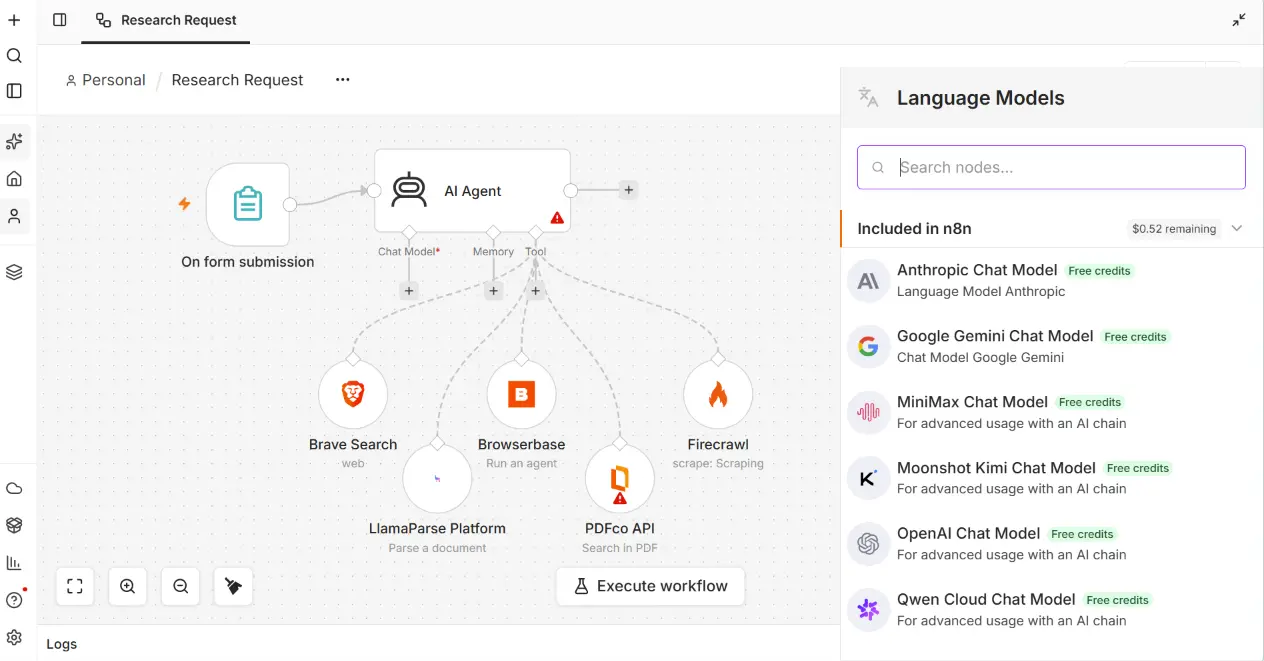
This makes the first workflow much easier to build:
- Add a supported node.
- Select Gateway Credits.
- Pick a supported model or service.
- Run the workflow.
You do not have to create a separate provider account first. You also do not have to copy another API key into n8n.
That is a useful improvement for workshops, prototypes, and small teams. Credential setup is boring when the thing you want to learn is whether the workflow itself solves the problem.
Availability is narrower than the headline
Gateway Credits are available on n8n Cloud Starter and Pro from n8n 2.36.0. They are not available on Cloud Enterprise or self-hosted n8n.[1]
That distinction matters. A self-hosted user cannot top up Gateway Credits and use the same route. They still need their own credentials for OpenAI, Anthropic, Gemini, Firecrawl, or any other external provider used by the workflow.
The supported catalogue is also not every service that n8n can connect to. If a provider or model is not included, the usual credential setup still applies. n8n points users to its service pricing page for the current catalogue and request rates because both can change.[1]
One balance for the whole Cloud instance
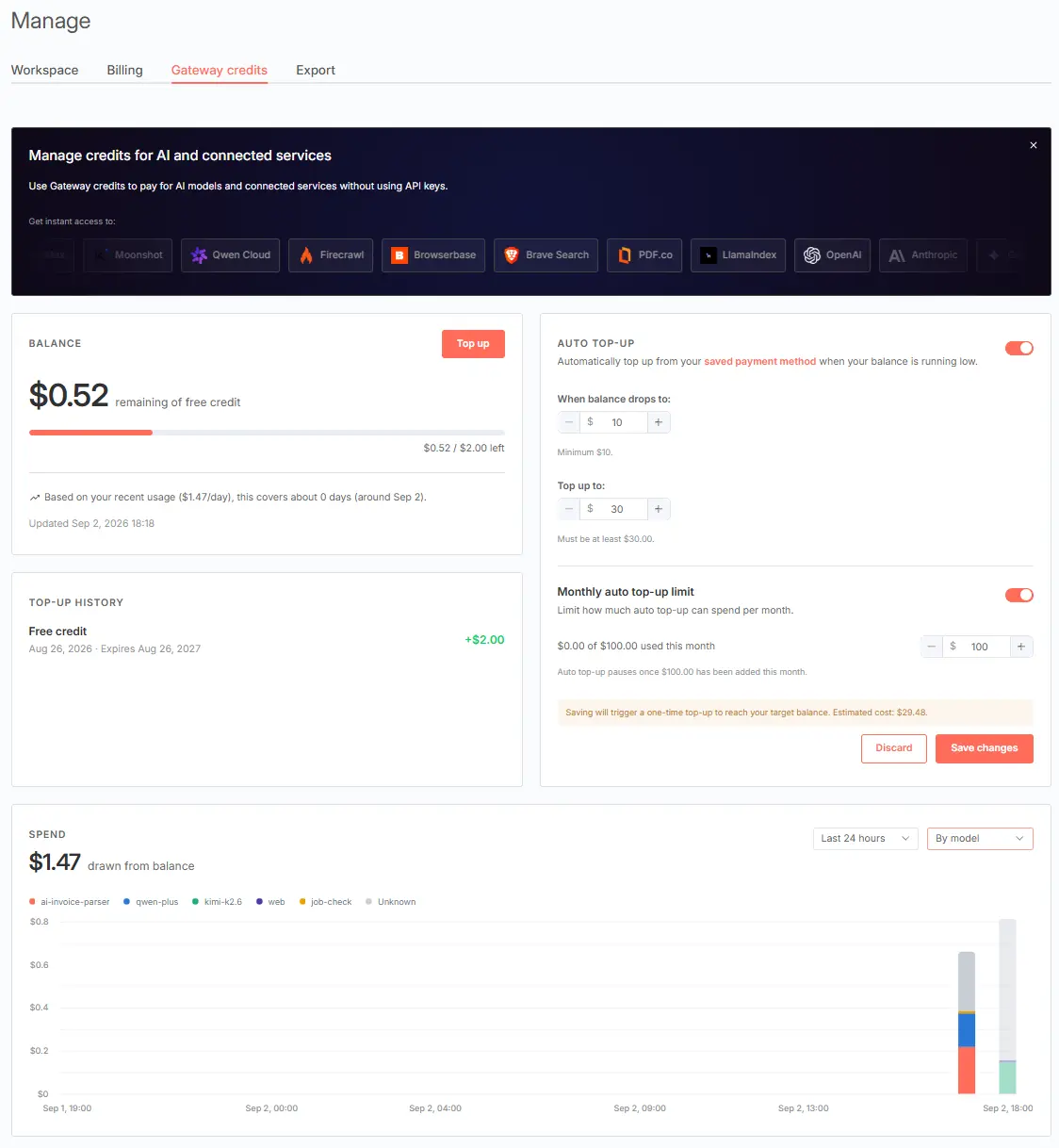
Gateway Credits use one balance shared by everyone on the same Cloud instance. New Cloud users receive a small free balance, and trial instances can use it from their first workflow.[1]
When the balance reaches zero, nodes that use Gateway Credits stop working. Nodes that use your own provider credentials continue running. If the balance runs out while a request is already in flight, n8n allows that request to finish and deducts the difference from the next top-up.[1]
I would treat that balance as an operational dependency, not a welcome bonus. If a production workflow depends on it, someone should own balance monitoring and top-up settings. Otherwise a workflow can be technically correct and still stop because its payment rail ran dry.
Gateway Credits are not AI Assistant credits
n8n has several credit types, and they are separate. Gateway Credits pay for supported models and tool services used by workflow nodes. AI Assistant credits pay for the AI Assistant and AI Workflow Builder inside the editor. Adding money to one balance does not add credit to the other.[1]
This is easy to miss because both appear inside n8n and both may involve AI. Check which feature consumed the balance before debugging a credit problem.
The convenience has a data path
With Gateway Credits, n8n routes the request through its gateway under n8n’s provider account. The external provider receives the request content, such as a model prompt or text sent to a parser, but not the user’s identity or n8n account details.[1]
That does not mean the prompt stays inside n8n. The service provider still needs the content to process the request. Teams handling personal, regulated, or confidential data should review the provider path and applicable terms before using the feature.
The same review is necessary with your own API key. Gateway Credits simplify authentication and billing. They do not remove the need to decide what data is safe to send to an external service.
When I would use Gateway Credits
I would use them for:
- learning a supported AI or tool node
- a workshop where credential setup would waste half the session
- a quick prototype that needs several providers
- a small Cloud workflow with modest, monitored usage
- testing which model fits a task before opening provider accounts
In those cases, the smaller setup surface is the point. I can spend time on the input, output, failure path, and model choice instead of provider onboarding.
When I would bring my own API key
I would still use my own credentials when:
- the workflow runs on self-hosted n8n
- the required service is not in the Gateway catalogue
- I need provider-specific controls or account-level logs
- procurement requires a direct contract with the provider
- the team already has committed spend or negotiated pricing
- separating usage by project or environment matters
There is also a simple migration concern. A prototype that starts with Gateway Credits may later need a model or feature outside the catalogue. Build the workflow so changing credentials does not require redesigning its business logic.
A good default for new n8n Cloud users
For a first AI workflow on n8n Cloud, Gateway Credits are now the path I would test first. They remove setup work and make it easier to compare supported services.
Before moving that workflow into production, I would check four things:
- Is the service available on the plan we will actually use?
- What is the current per-request rate?
- Who monitors the shared balance?
- Are we comfortable with the request’s data path?
If those answers are clear, keep the simpler setup. If they are not, use your own provider account. Convenience is useful, but production still needs an owner.