Aside is my daily browser now. I give it the browser chores I used to do by hand, and it works through them in its own tabs while I do something else.
The problem showed up on day two. The agents run on my Mac, so whenever I wanted to know if a task had finished, I had to walk back to the desk and look. There’s no mobile app yet, and I didn’t feel like waiting for one.
So I built a small one for myself. It’s called Aside Pocket, and it’s open source on GitHub.
Starting from the CLI
Aside ships a CLI, and that’s the only thing Aside Pocket talks to. A small Node server on the Mac, which I call the bridge, runs CLI commands and serves a web app. It listens on 127.0.0.1 only, and tailscale serve exposes it over HTTPS inside my own tailnet.
iPhone PWA --HTTPS over Tailscale--> bridge on 127.0.0.1 --> Aside CLI --> AsideNo Node install is needed, because the bridge runs on the Node that comes with Aside. On the phone you open the URL in Safari and add it to the Home Screen.
Most of the work was finding out what the CLI actually returns. session list --json gives every session, session inspect gives the latest answer, exec starts a task and steer, queue and stop control a running one. Transcripts, routines and the suspension object that marks a session waiting for approval only come through aside repl. Some of that isn’t documented, so I wrote down every command shape, exit code and timing I observed in docs/aside-surface.md, with each claim marked verified or inferred.
Two things that surprised me
Aside has no event stream. The bridge polls instead: every 2 seconds while a session runs, every 15 seconds when nothing does. One CLI call costs about 0.15 seconds of process start, so that’s cheap.
The second one took longer to notice. exec and session resume block until the turn ends, and if that CLI process dies mid-turn, the turn is aborted. A bridge restart would have killed every running agent. So the bridge attaches with a 5-second timeout and lets go, and the session keeps running on its own.
What it looks like
 |
 |
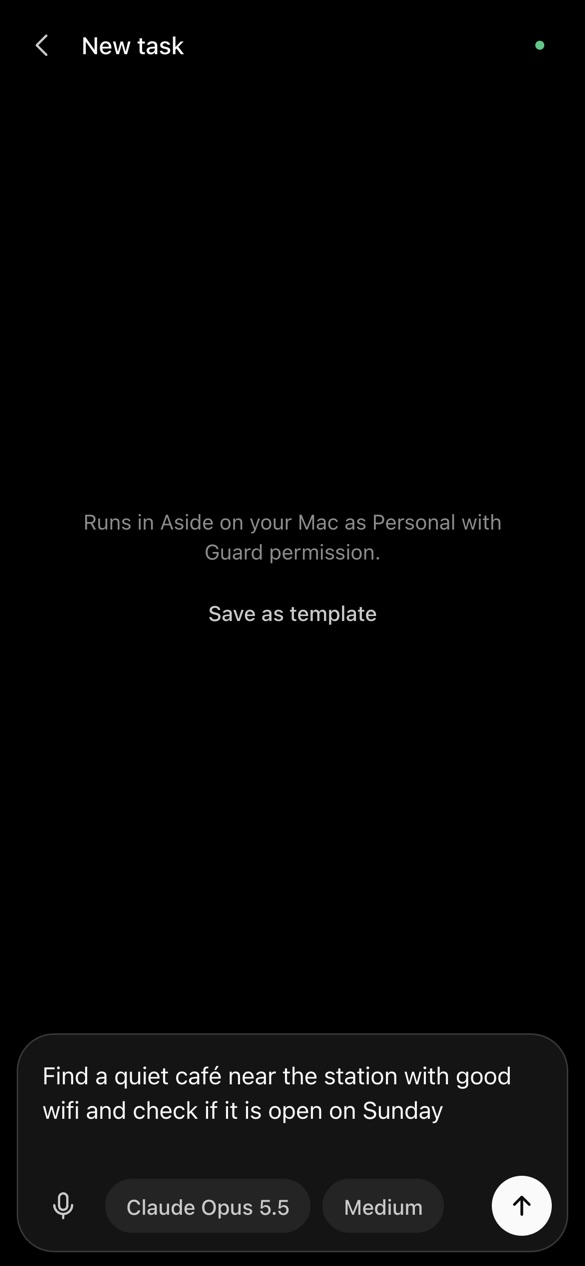 |
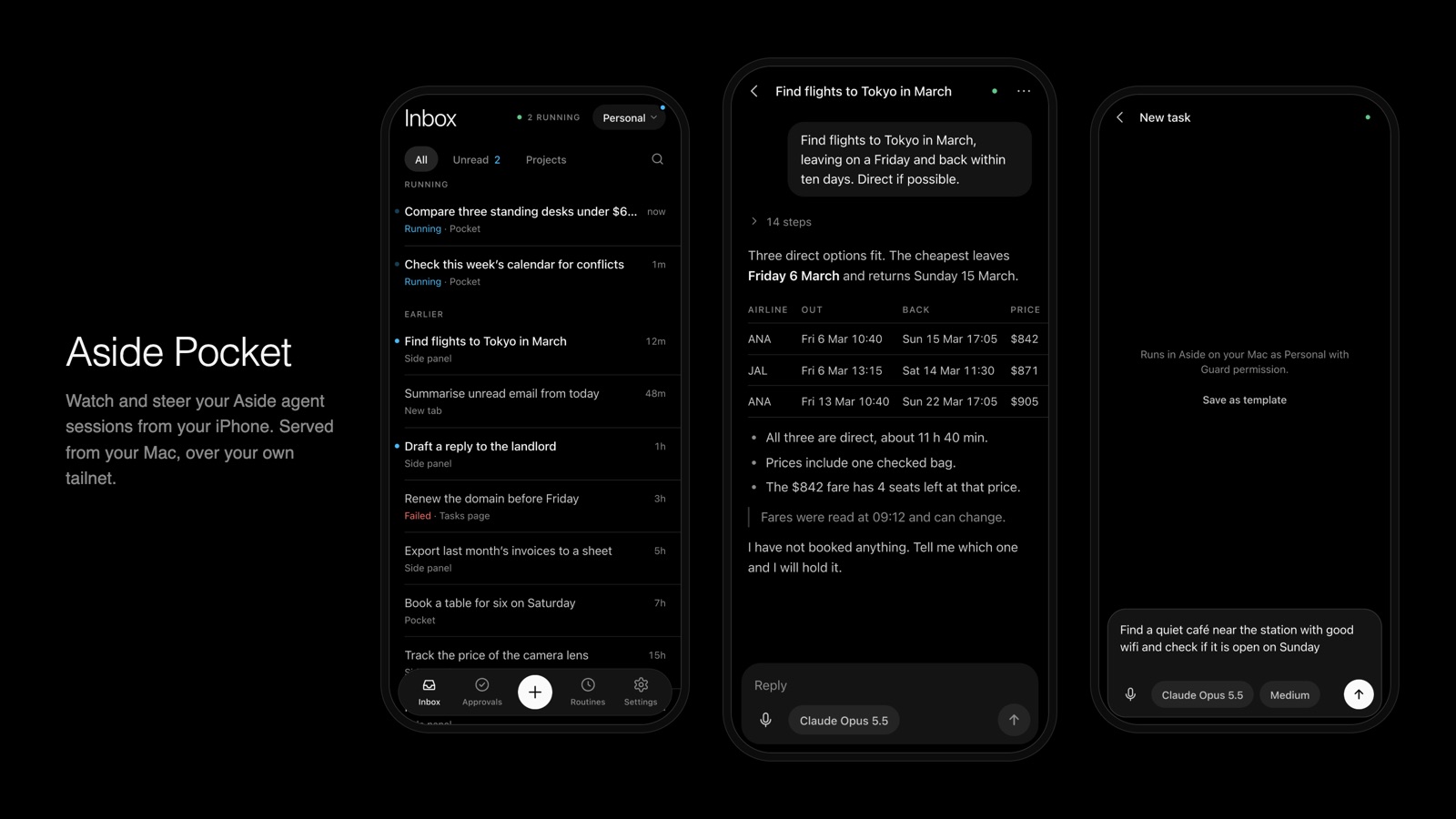
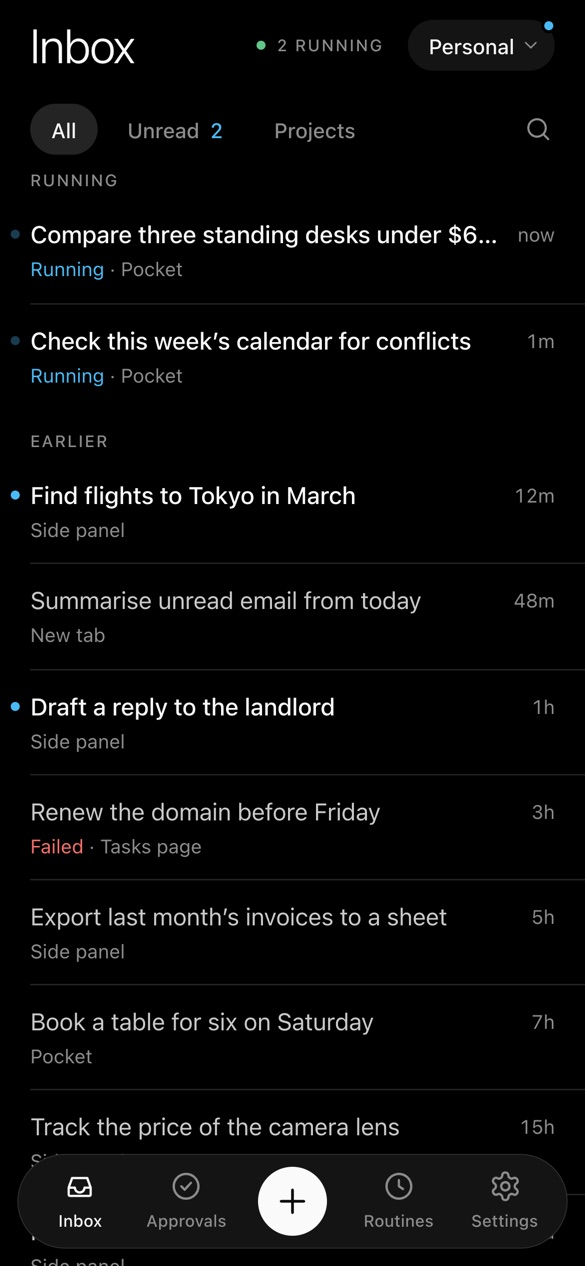
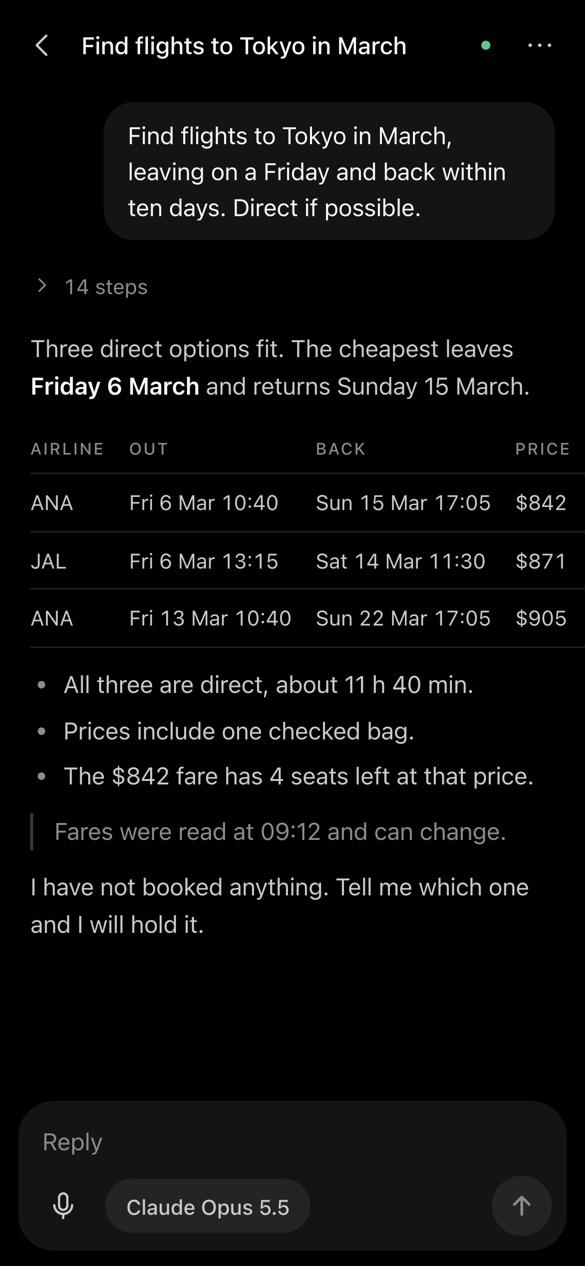
The inbox groups sessions into waiting, running and earlier, with an unread filter and a per-project view. A thread shows the prompts, answers and a collapsed list of tool steps. A new task gets a model and an effort level, and you can dictate it if you add a Groq key. There’s also a routines tab, a read-only memory search, and a screenshot of the tab the agent is using (never your own tabs). Push notifications arrive when a session finishes, fails or waits for you.
The rules I kept strict
An agent that can use my logged-in accounts, controlled from a phone, needed a few hard rules:
- Every API call needs a Tailscale login on the allow-list and a bearer token.
- Pairing uses a 6-digit code that works once, expires after 5 minutes and is dropped after 5 wrong tries. Only its hash is stored.
- Tasks started from the phone always run with Guard permission. The bridge never passes full access.
- Retrying a failed routine is off by default, because a routine’s session can carry a full-access permission mode.
- The bridge can’t delete sessions, change Aside settings or edit routines.
One honest note
Aside Pocket depends on CLI behaviour that Aside doesn’t document, so an Aside update can break it. I’ve tested it with Aside 1.26.x on macOS and an iPhone only. Replying to a pending approval from the phone hasn’t been checked against a live one yet. It’s a personal project and isn’t affiliated with Aside.
If you use Aside on a Mac and have Tailscale, install it with one line:
curl -fsSL https://raw.githubusercontent.com/khmuhtadin/aside-pocket/main/install.sh | bash